A contract can spread a short week over more weekday options, team managers can do their whole job again, the planner says what the schedule on screen costs, the mobile app gains invites, public holidays, the Stundennachweis and the assistant, and kiosk pairing codes lock after five wrong tries.
Most of this release is finishing work. A contract can describe a rotation instead of a fixed week, managers who belong to a single team can plan, pair a kiosk and handle leave again, and the mobile app catches up with what the web has had for a while.
A week that rotates
Some people work three days a week, but not the same three. A contract can now say exactly that: tick the weekdays the person may be rostered on, then set the working-day count lower than the number of days you ticked. Four ticked days with a count of three reads as "3 of these 4 days each week" right under the weekday buttons, and the contract summary carries the same "3 of 4".
Each of those candidate days is then worth three quarters of a full working day. That fraction runs through the target hours, the public-holiday credit and what a day of leave costs, so a full week of vacation on such a contract spends three days rather than four. Contracts whose count matches their ticked days are unchanged, which is every contract until you say otherwise.
Managers, per team
Last release moved managers to a single team. This one makes the rest of the app agree.
A team manager can plan again. The roles on the planner, the holiday badges and the team's kiosk settings all read through the team, so a planner that used to say "create your roles first" and link somewhere the manager could not open now shows the roles that are already there. Pairing a kiosk works from the team's settings, and a refused kiosk write says why instead of doing nothing at all.
Leave requests go to the managers of the worker's own team. Before this, a request from the kitchen also landed in the bar manager's inbox, where the Approve button refused the moment it was pressed. Manager authority over leave, approving, rejecting, cancelling, editing and pricing it, is decided per team throughout.
What the plan costs
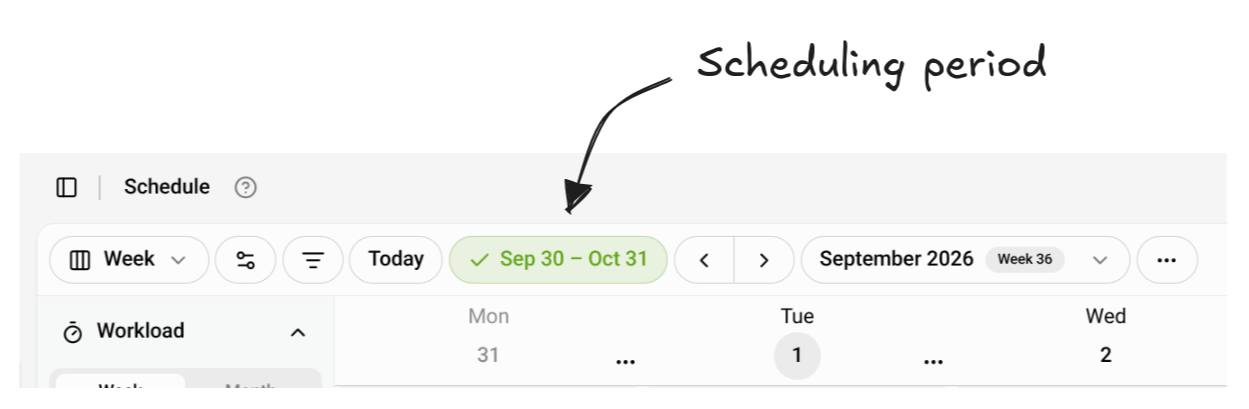
The Workload panel in the planner now says what the schedule on screen costs. Under the two bars sits a planned cost: hourly contracts counted as the hours assigned to them times their hourly rate, salaried contracts as their monthly salary spread over the days in view, then the total of the two and what one planned hour costs on average. The Week, Month and Period tabs price the same schedule, each over its own span.
Filtering the planner moves the figure, and the row marks itself filtered rather than letting the cost of a few people pass for the cost of the whole plan. The hours follow the shifts you can see, and the salaries follow the people you can see, because a salary is owed whether or not anyone put a shift on the grid.
Premiums are not in it yet: night, weekend and holiday supplements come later, so for now the row shows wages and salaries without them. It appears for managers who are allowed to see a contract's rates, on Pro and on Business.
The app catches up
The mobile app picks up a lot of what the web has had for a while, and all of it arrives with app version 1.2.0, the store build that follows this release. An invitation link opens the app when it is installed, and on a phone without it the invite page offers an "Open in the app" button beside a link to install it. You can accept the invitation and create your account without leaving the app. The vacation balance shows the public-holidays account. The Needs you inbox carries its actions inline, so you can answer an item straight from the list. The Stundennachweis downloads as a PDF, and the assistant answers workers on a phone. Tapping a push notification lands on the thing it is about, because the notification now says what it is and what triggered it.
Behind all that, Plantime now asks Apple and Google whether a push notification actually arrived instead of assuming it did. Two more fixes work with the app you already have: time fields stop blanking themselves on phones set to 12-hour time, and a hiccup at the sign-in service answers with a retry instead of a rejection, so a half-minute outage no longer signs every worker out.
Steadier planning
A refused shift edit tells you why. Drag a shift so one of its breaks would fall outside it and Plantime says so, where the change used to snap back with no explanation.
Two people claiming the same open shift, or the same swap, no longer both win. One gets it, the other is told what happened. Clocking in twice, on the kiosk or in the app, produces one entry instead of two. Filling a week from history or copying shifts across the spring or autumn clock change keeps the times as written, so a 09:00 shift copied into the week after the change is still at 09:00. And a leave date is judged against the team's own calendar day, on the web and in the app, so a request for today is not refused for being in the past.
Kiosk codes that lock
A kiosk pairing code is the credential for the device it pairs, so it now behaves like one. Five wrong entries lock a code until someone generates a new one from the team's settings, the pairing screen is throttled, and a code expires ten minutes after it is created rather than an hour. Kiosks already paired are untouched and keep running for months.
Wage records stay
Approved, locked and signed timesheets are wage records that have to be kept. Deleting a contract used to take them with it, and so did deleting a team or an organization. Plantime now refuses those deletions and names the way out: give the contract an end date, in the same form the delete button sits under. Contracts, teams and organizations holding no such records still delete as before.
Adding your first people
While you set up your first people, importing contracts from a file now sits beside "add another person", with the other ways to add someone. Continue is the only button that ends the step.
One status, one look
Every leave and timesheet status now looks the same wherever you meet it: same colors, same words, sized to the row it sits in. The timesheet list on a person's contract page uses the same row as the timesheets table.
The AI allowance, everywhere
The monthly AI allowance that arrived last release now reads the same wherever the assistant does. The global assistant has the usage entry in its header, the same bar and the same reset date as the planner's, and every panel refreshes from one place, so no two disagree about what is left. Usage counts stay exact, even for an unusually large answer.
Smaller, but sweet
- The dates in the planner header and toolbar are correct the moment the page appears, instead of flickering into place.
- An invitation belongs to the organization that issued it, and a contract someone has already claimed cannot be handed to a second person.
- Permission checks now name the exact team or organization an action touches: shift assignments, competency updates, invitation revokes, timesheet generation and subscription changes.
- The per-person "Clock-in without a shift" setting, use the team setting, allowed or not allowed, now also appears when you edit a contract from a team's people page and when you create one, not only in the dialog on the contracts table.